
This a continuation of Creating the Esri Geoportal Server LiveDVD Demo: Part 1. I didn’t mean to make it a month between posts, but development of this DVD was a complicated processes and I wasn’t sure how to write about it.
As I wrote in Part 1, there were 5 parts to creating the LiveDVD:
- Getting the Geoportal up and running.
- Customizing the Geoportal
- Customizing the Linux operating system interface.
- The informational website, which pops open when the LiveDVD is started and provides information about the Geoportal as well as how to get started using the demo.
- Converting the virtual machine to a LiveDVD.
The part will cover Part 2: Customizing the Geoportal.
You see, the Geoportal comes with a default interface that’s great for people to use when setting up their own geoportal.
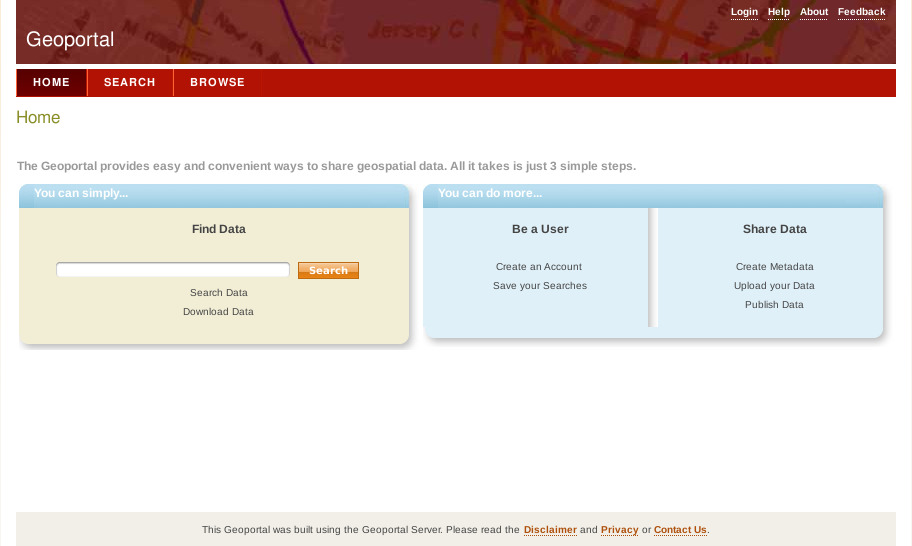
But wouldn’t quite work for the demo.
First, the color was wrong. If you go to the Geoportal’s webpage on esri.com, you’ll see that the product’s official color is a dark green. Second, the existing text is just placeholder text that’s supposed to be replaced with custom content. I wanted it to be useful for people who are loading up the Geoportal for the first time and have no idea what to do next.
So, making the Geoportal green.
Fortunately, the Geoportal also comes with a blue skin.
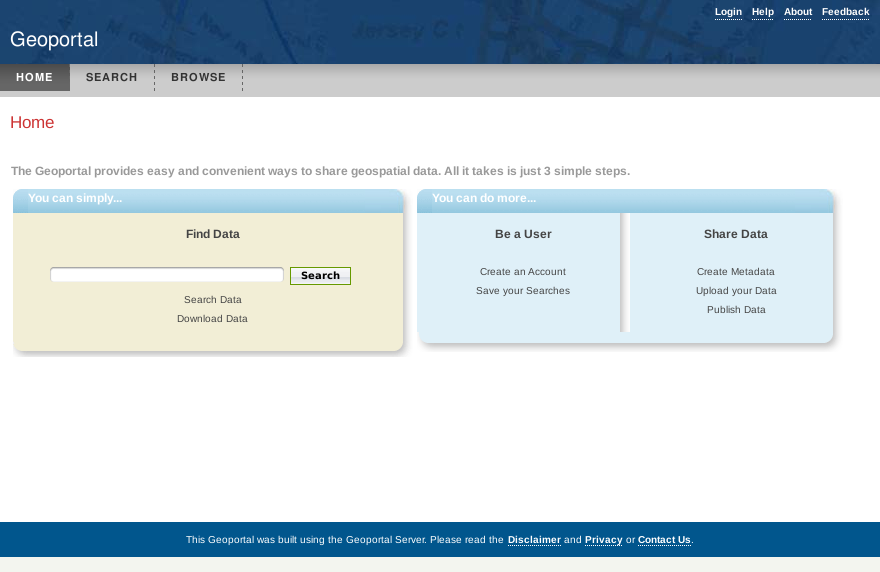
While that wouldn’t work either, I thought it would be easier to customize that than the red skin.
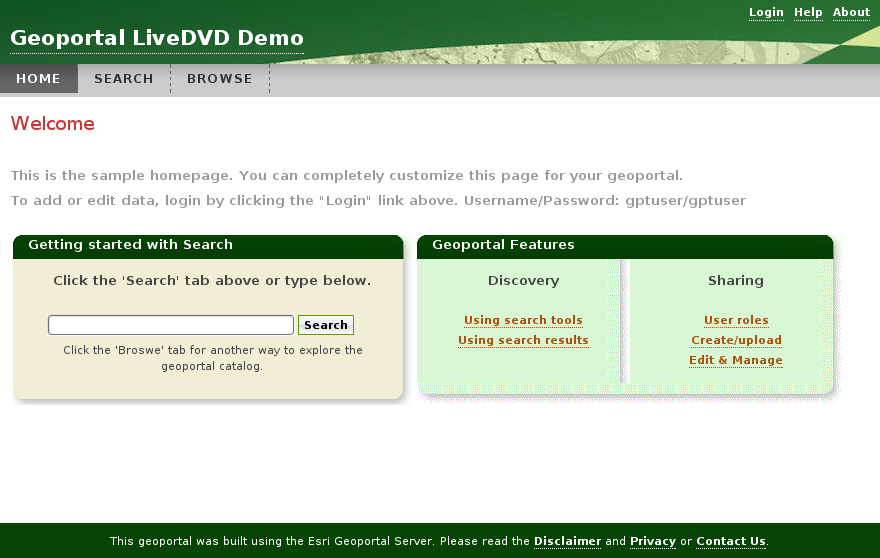
And for the most part it was. The bottom banner and headings to the two central boxes were easy to changed; just some quick Paint Shop Pro work. The top banner proved to be much trickier. I wanted to use the same banner that appears on the Geoportal’s webpage. The problem is with where the text has to appear on top of the banner; the title in the bottom left corner and some text links in the top right. I just couldn’t get the banner placed so the text all appears over the dark green parts. I finally had to flip the banner over. It was the only solution that worked.
Finally, with the help of the Geoportal Dev Team, I updated the text. The final Geoportal home page looks like this:
Next Time: Customizing the Linux Operating System

 The Unknown Marketer
Pingback: Today's Linux Server LinksNine OM